
How to provide Web Archive
To help debug a blocking issue that we can't recreate, #blockit support will sometimes ask you to send a Web Archive of the web page you are having issues with.
A Web Archive allows us to better determine what the issue is, and we are usually able to resolve almost all issues when provided a Web Archive.
How to Export Web Archive on iPhone & iPad
1. Navigate to the website and location with blocking issues (e.g. www.youtube.com)
2. Tap the Share button
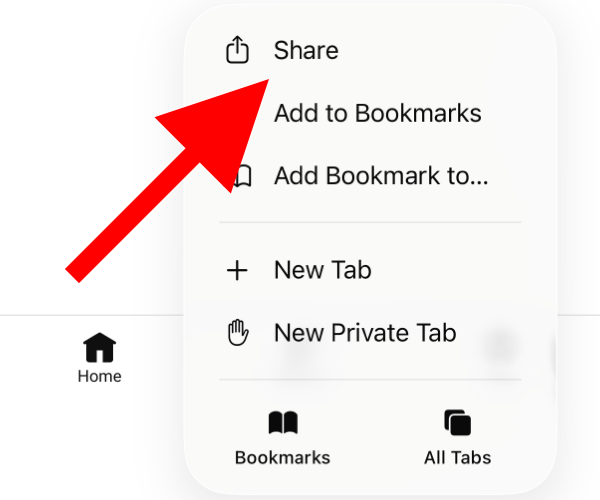
3. At the top of the Share Sheet, tap Options
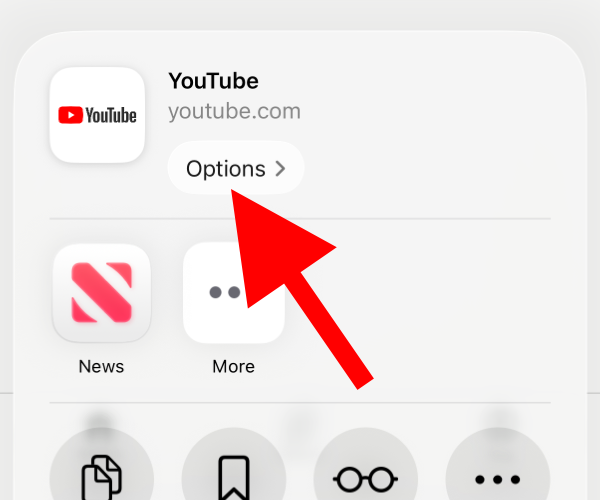
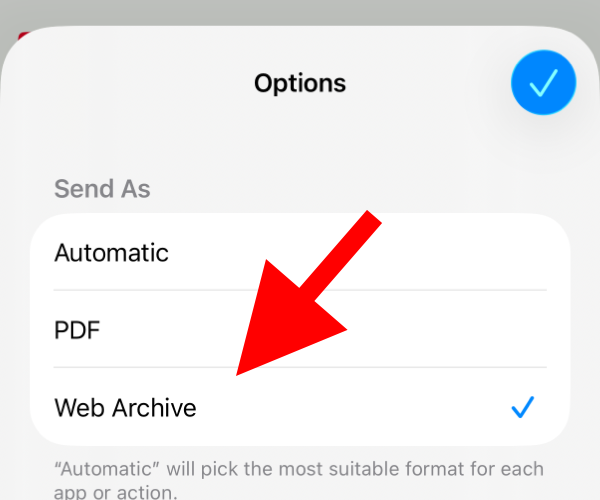
4. Select Web Archive, and tap Done
5. Now share using your email app (Apple Mail recommended)
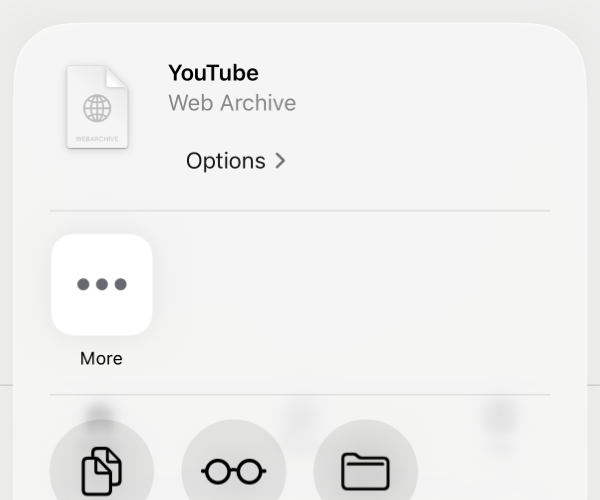
6. Send to jordi@hashtagapps.dev
How to Export Web Archive on Mac
1. Navigate to the website and location of the blocking issue (e.g. www.youtube.com)
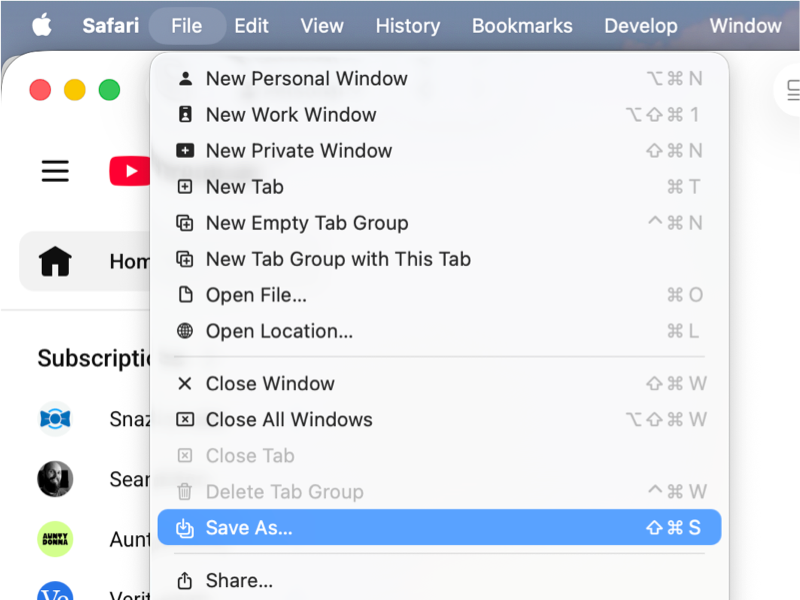
2. In the top left of the menu bar, select File > Save as...
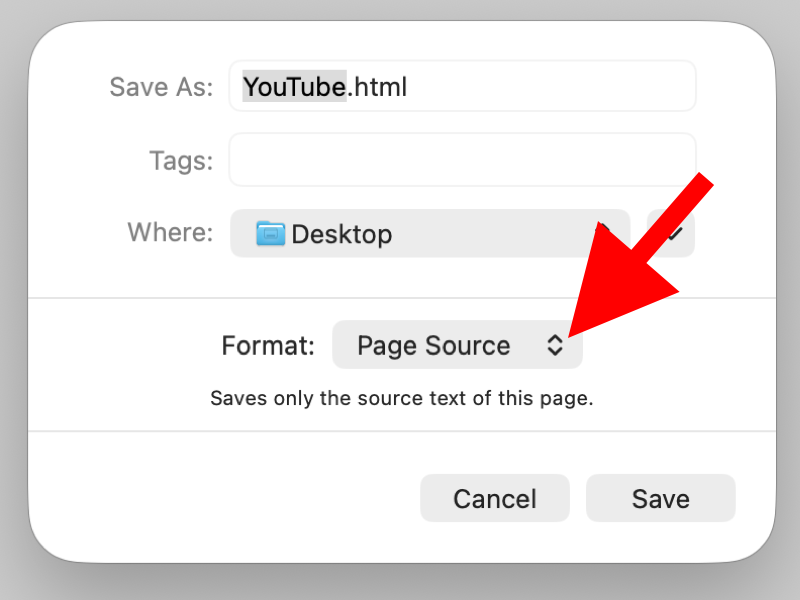
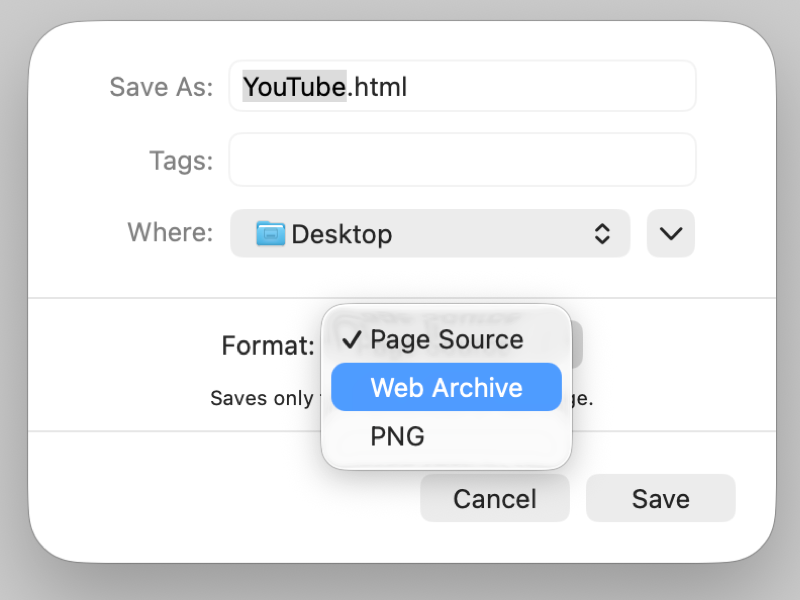
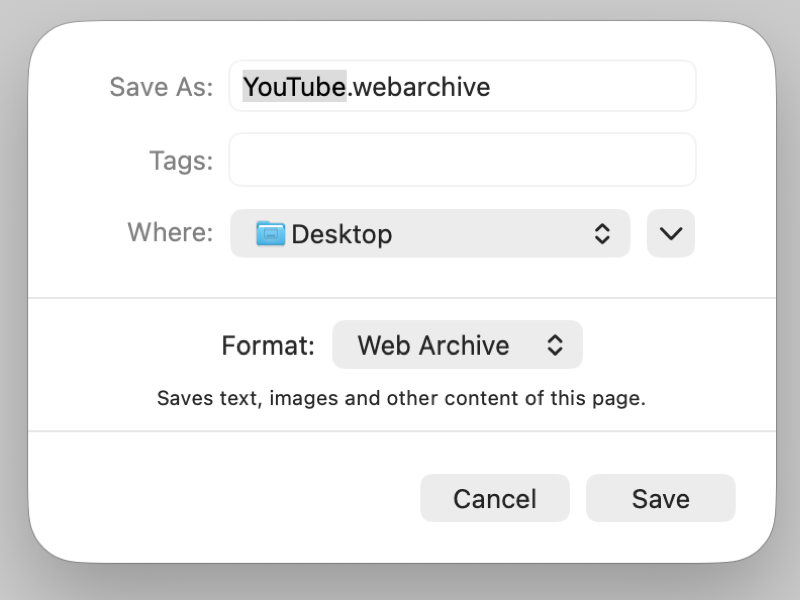
3. Ensure Format: Web Archive (not Page Source)
4. Click Save
5. Email the saved file (usually in your Downloads folder) to jordi@hashtagapps.dev